


Studio plans and sends
Projects, charges, ranges, presets, Send to Barcode, and finished CSV status on each charge.
MayLytix Suite
Studio plans charges and tracks Barcode handoff. Barcode generates or transforms the CSV on your network. Proof and finished paths sync back before downstream print systems take over.
How the suite runs
Three process steps — not three products. Studio holds the job context, Barcode prepares the CSV, and the proof record documents what happened before handoff.
Projects, charges, ranges, presets, Send to Barcode, and finished CSV status on each charge.
Generate a series or open an export — then validate, transform, and shape output without upload.
Run summaries and PDF certificates; Studio picks up paths, counts, and proof on the charge.
Studio
Studio binds Barcode payload and pipeline presets per project, plans numeric or custom-serial charges, and uses Create to hand off work files — with auto-sync when the CSV run completes.
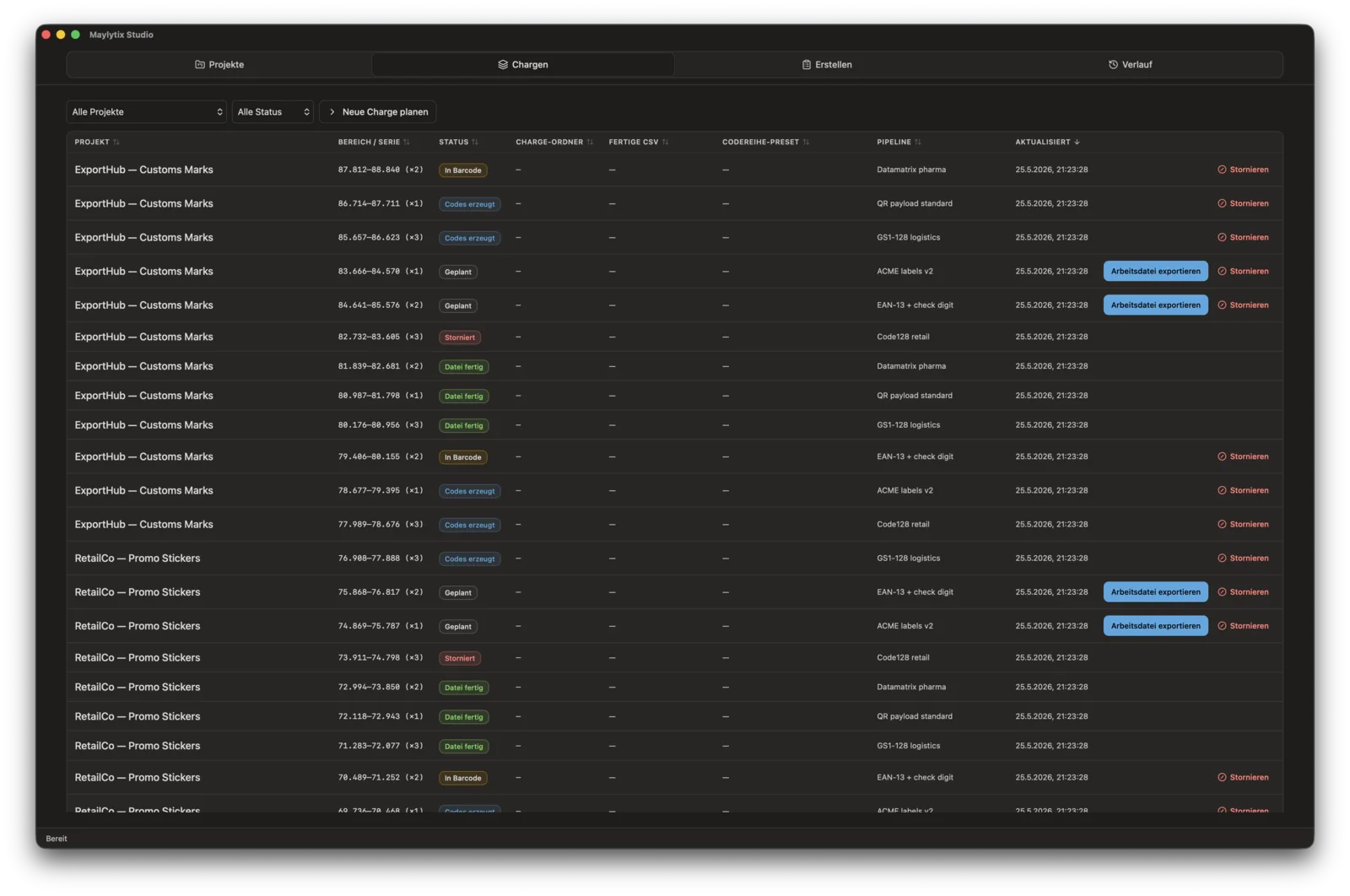
MayLytix Studio
Project and charge control with visible ranges, pipeline presets, and production status.
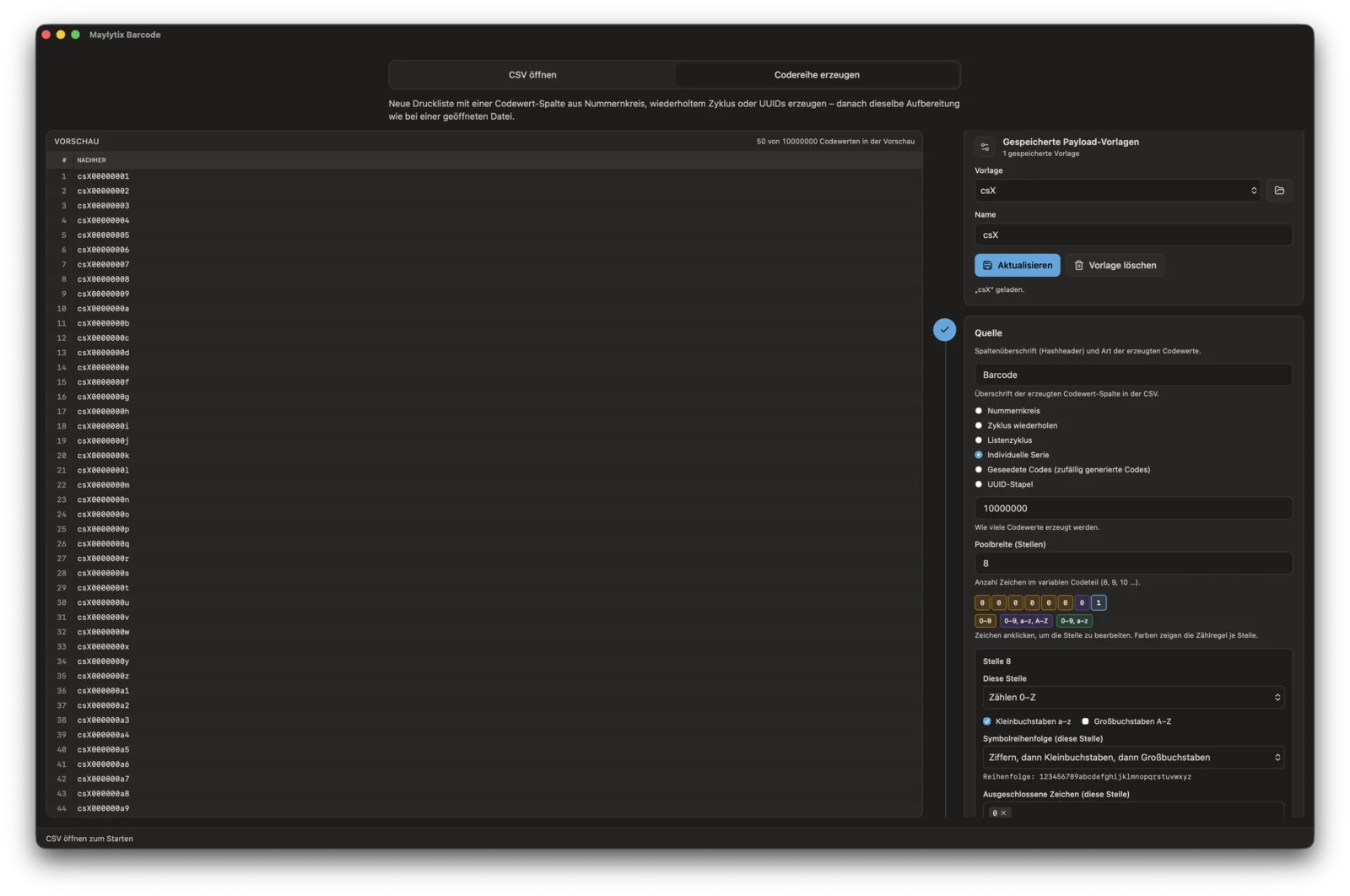
Code series generation
Configure serial pools, check digits, and payload rules for large code series.
Generation
Define serial pools, character sets, check-digit behavior, and payload templates before CSV transformation begins.
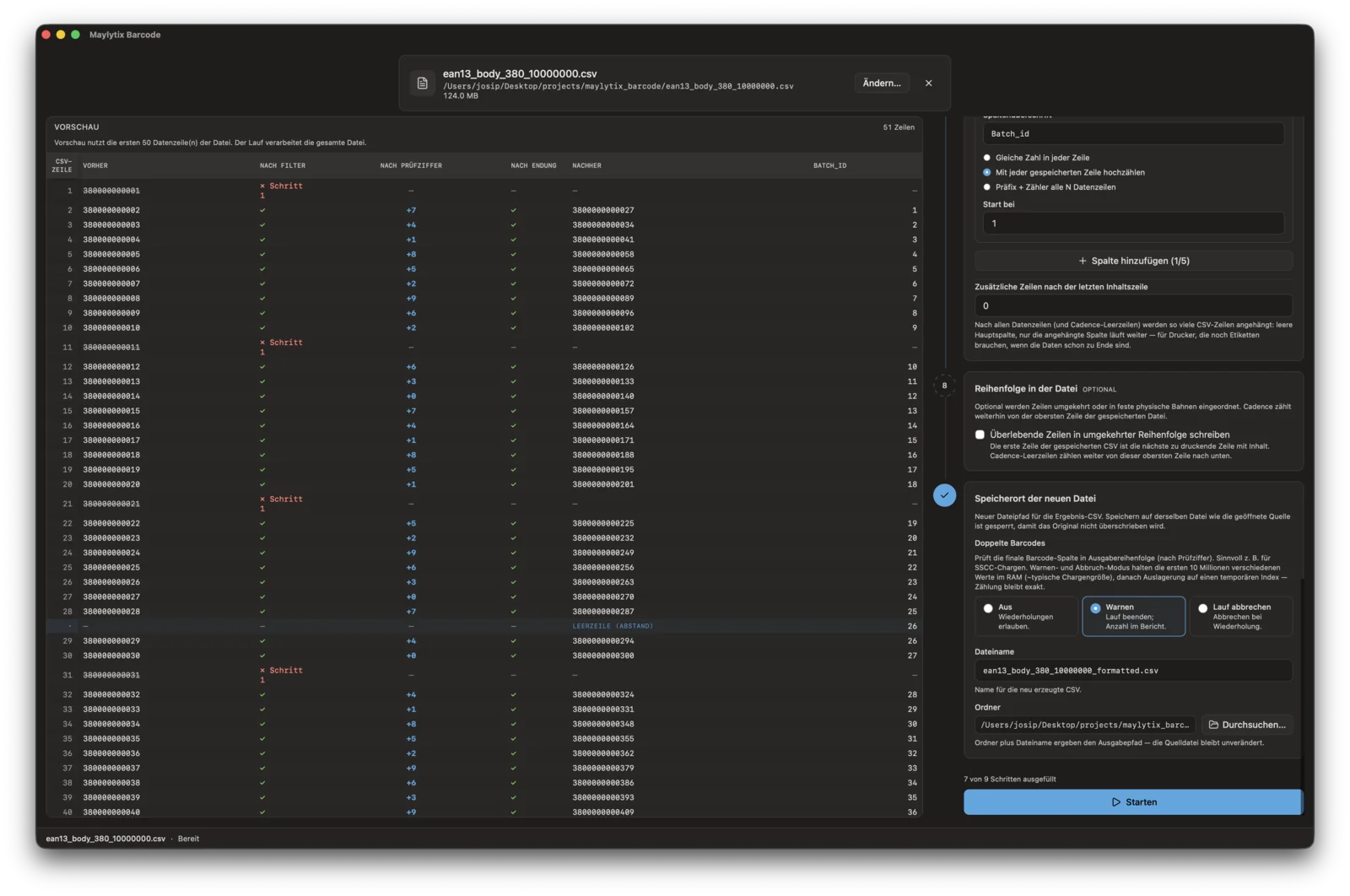
CSV transformation
CSV transformation with filters, check digits, lane shaping, and duplicate checks.
Barcode
Start from scratch or from a customer export. Save pipeline sets and payload presets for recurring jobs. Process large files on the desktop with duplicate controls, check digits, lanes, and PDF proof.
Run summary
Every completed run shows rows read, rows written, rejections by rule, check digits applied, and the full list of transformation settings that were active.
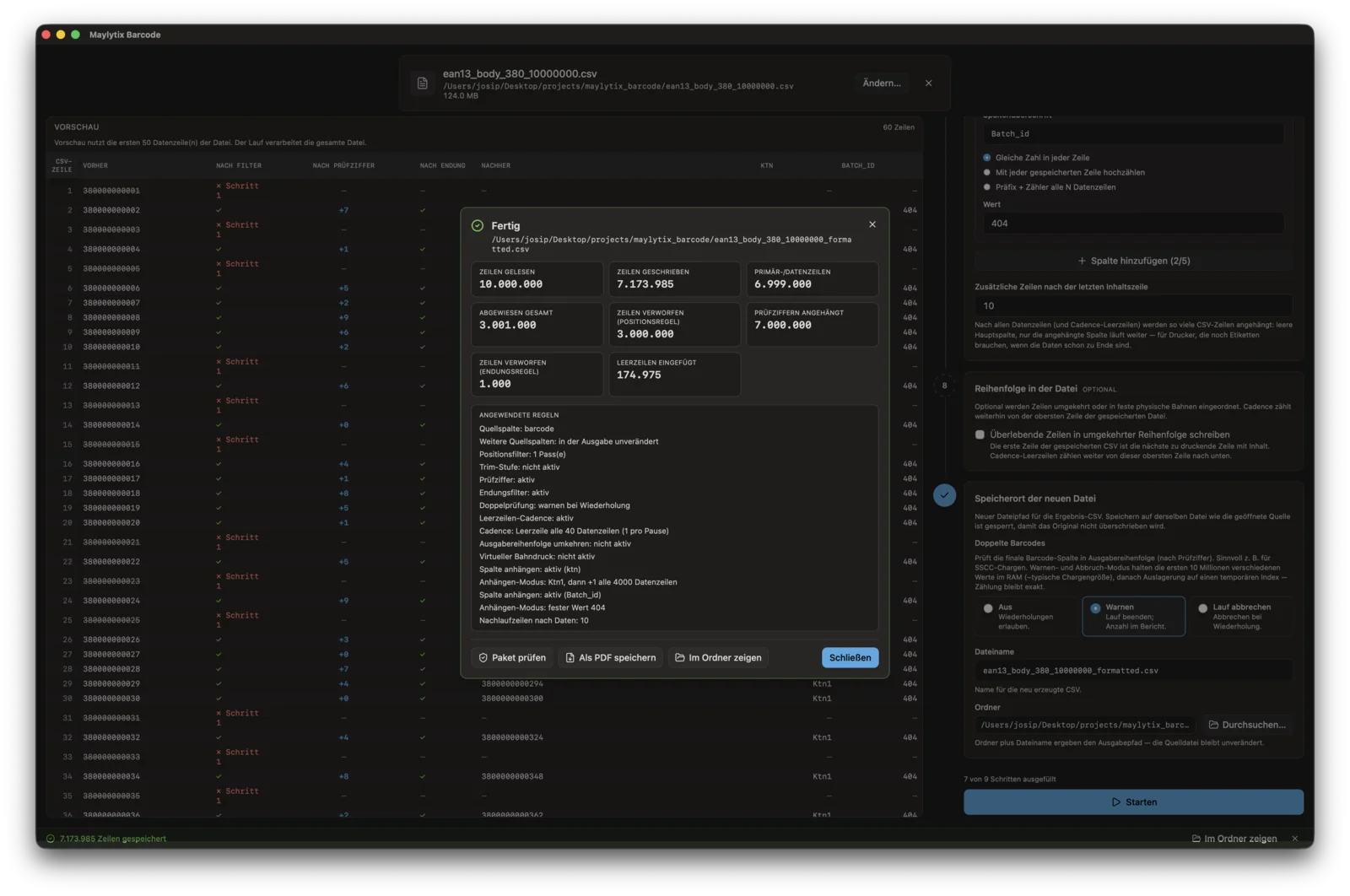
Run completion
Completion summary for a ten-million-row job with rule-level rejection detail.
Production proof
Operators get readable run summaries and PDF production data certificates with checksums, row counts, deviations, and the rules that shaped the output.
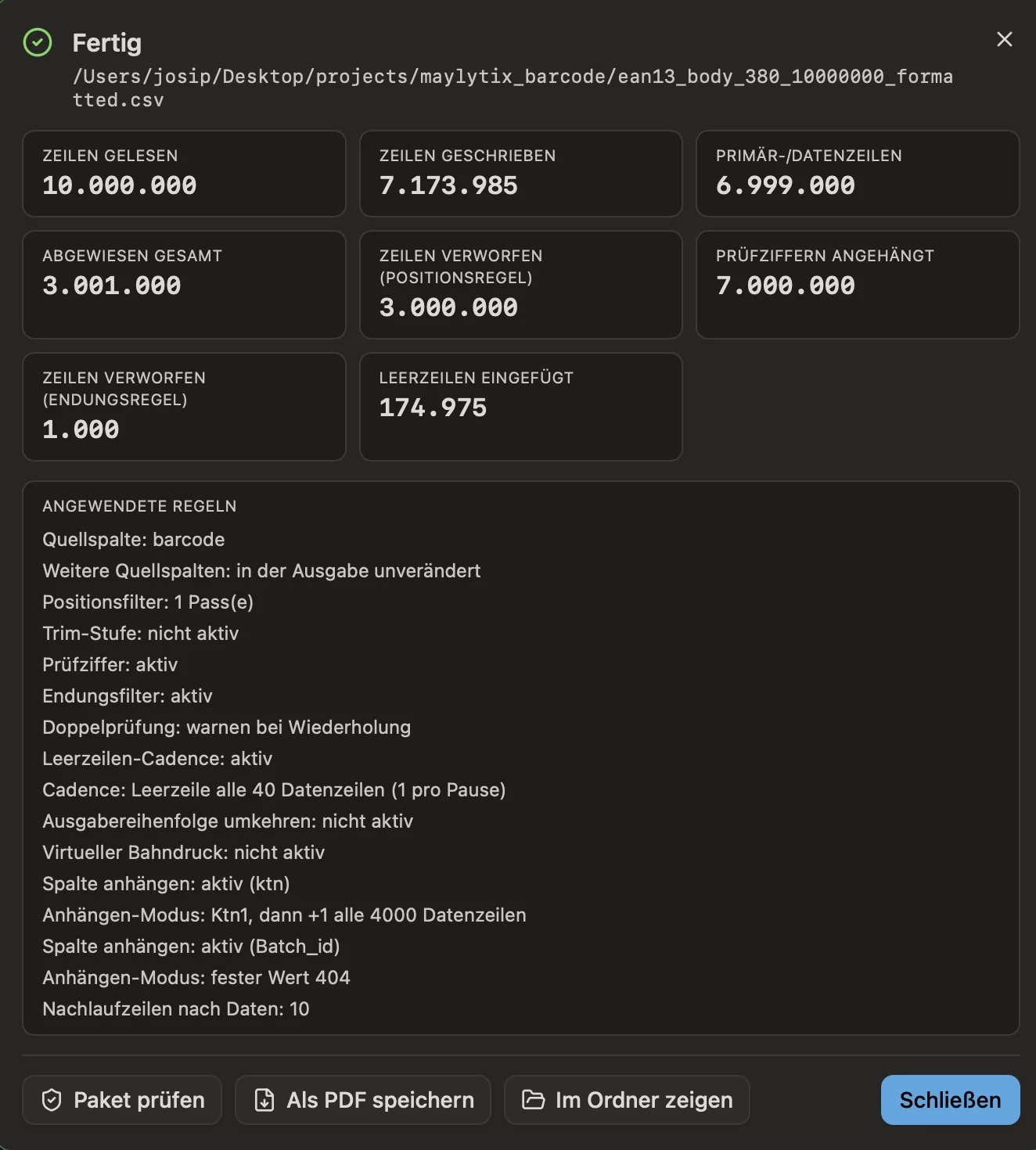
Run summary
Readable handoff stats with the transformation rules that were applied.
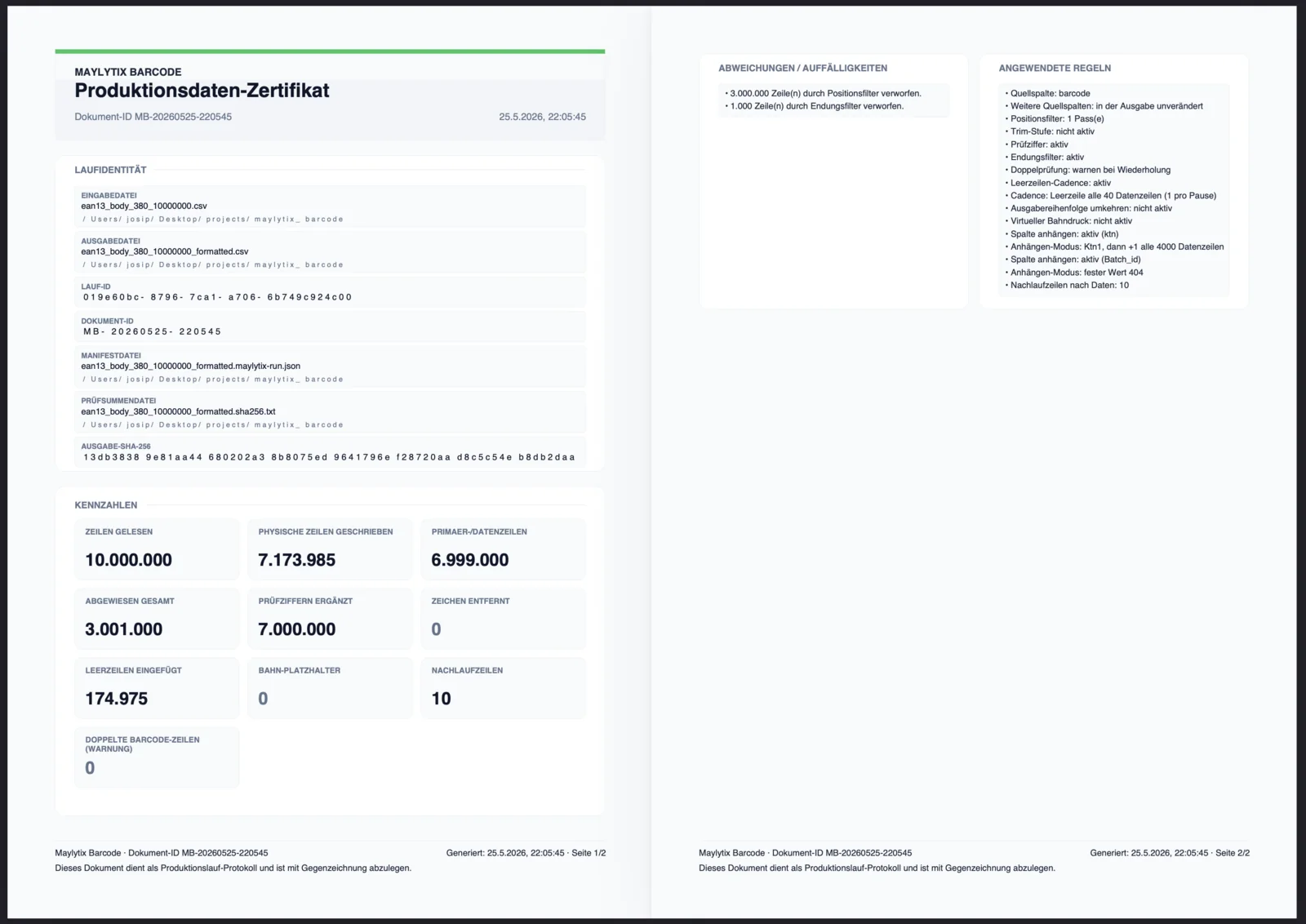
Production data certificate
PDF proof with checksums, row counts, deviations, and a full rule audit trail.
Custom Solutions
When Barcode’s saved pipeline is not enough — client-specific serial logic, export rules, preflight validators, or file-drop workflows built around one recurring job format.
Client-specific serial algorithms
ERP export to printer-input conversion
Barcode range reservation helpers
CSV splitting, merging, ordering, and lane shaping
Next step
The fastest way to scope the suite is to look at one recurring anonymized job format and the production handoff it needs.