


Generate payloads
Build a one-column CSV from numeric range, custom serial, repeat cycle, seeded codes, or UUID batch — then run the pipeline.
MayLytix Barcode
Barcode is the production desk for serial and barcode CSVs. Build payloads from scratch or open an ERP or spreadsheet export, then run the same validation, transformation, and proof pipeline before print.
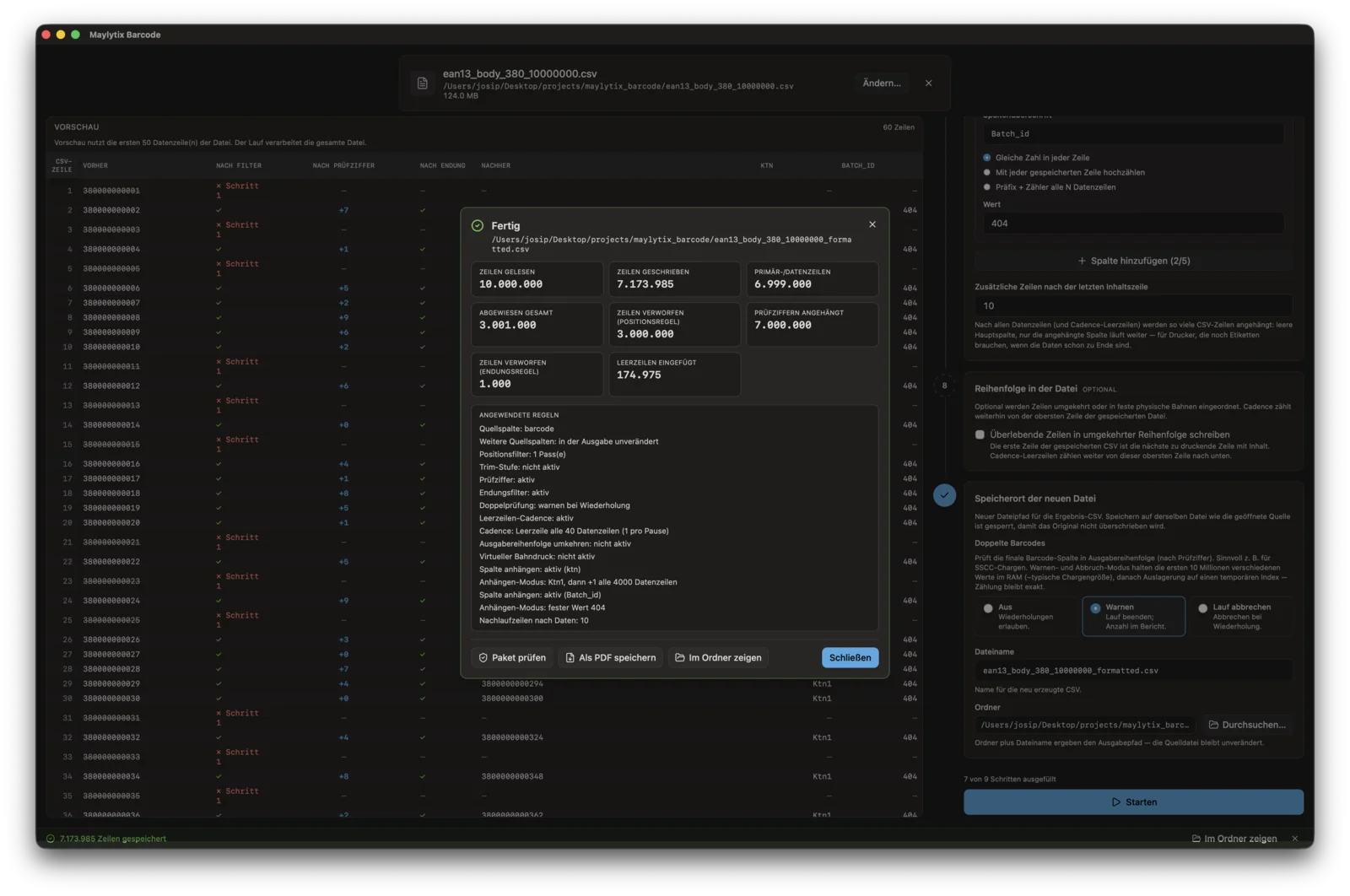
Run completion
A completed ten-million-row run with counts, rule detail, and output actions.
Desktop production
Windows desktop app — million-row files are processed locally on your network. No upload to a cloud service.
Two ways to start
Choose the entry that matches the job. Both paths support saved presets, preview on sample rows, and a documented full run.
Build a one-column CSV from numeric range, custom serial, repeat cycle, seeded codes, or UUID batch — then run the pipeline.
Load a customer or ERP export, pick the barcode column, apply filters, check digits, lanes, and duplicates — write printer-ready output.
What Barcode controls
Barcode is for large local files and concrete production rules: generate values, transform incoming rows, detect duplicates, shape output order, and record what happened.
Reload payload templates and pipeline sets on the next recurring job.
Filter by character position, trim values, append or second columns, insert blank rows between batches, and write printer-ready output.
Allow, warn, or stop when the same non-empty barcode would be written twice.
Apply common presets or custom modulus, weights, and alphabet rules.
Reverse output, apply cadence, and arrange rows for virtual lane printing.
Run summaries and PDF certificates with counts, rules, paths, and checksums.
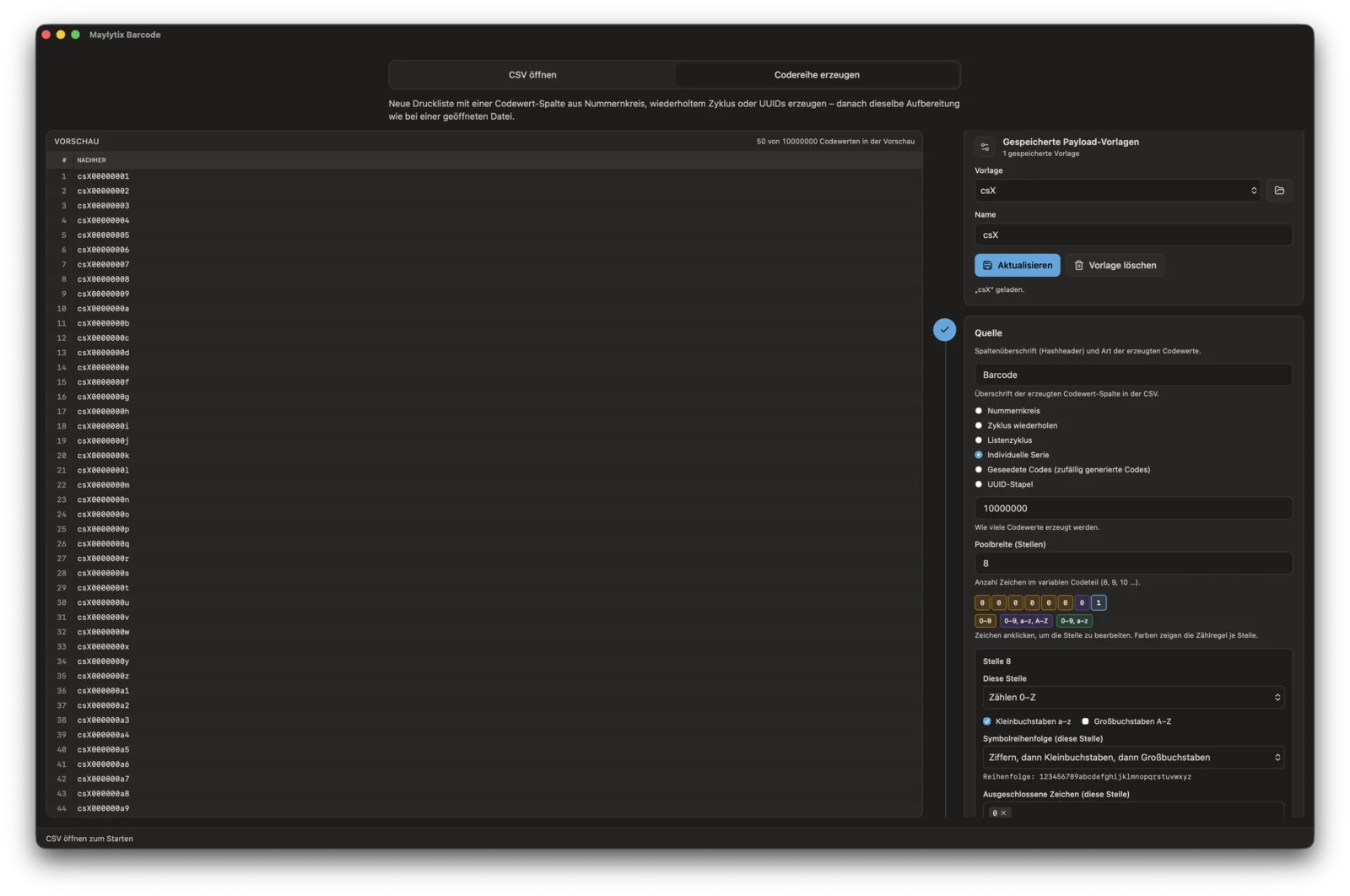
Generate code series
Preview generated values before writing production-scale CSVs.
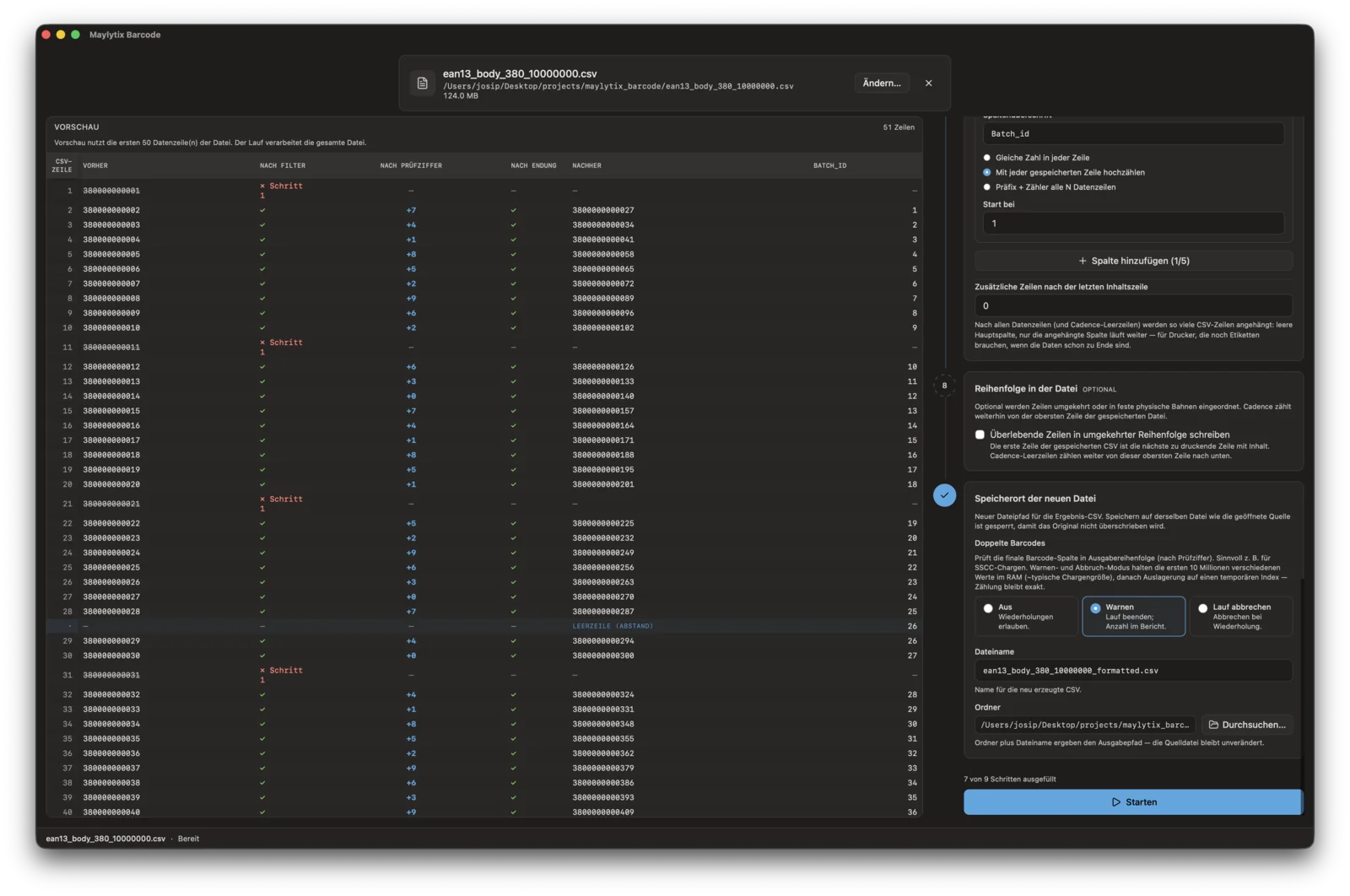
Transform production CSVs
Apply filters, check digits, columns, lane rules, duplicate behavior, and output paths.
Proof record
Operators can show what file was read, what file was written, which rows were rejected, which rules were active, and which proof package belongs to the output.
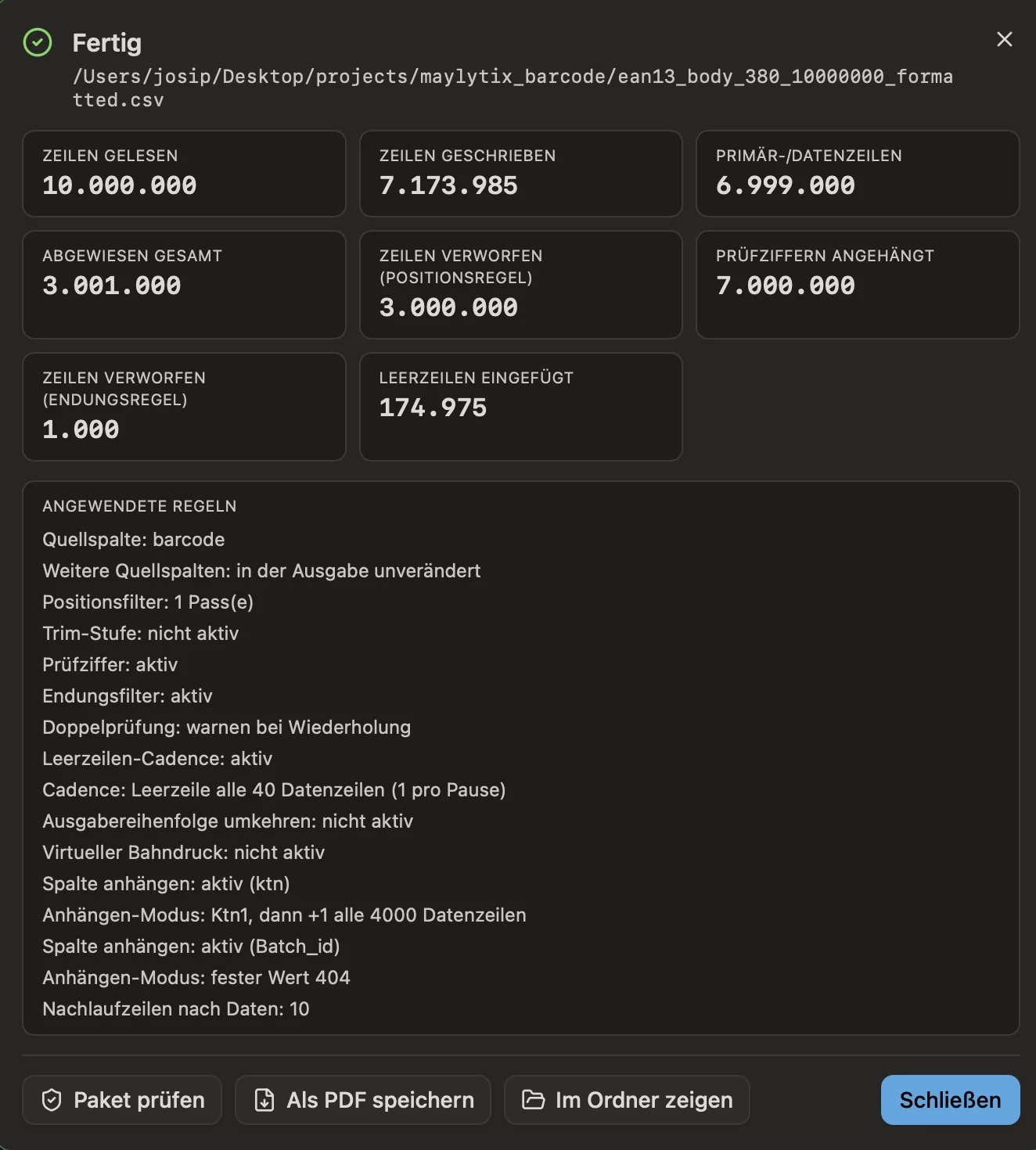
Run summary
Readable counts and rule detail for operator review.
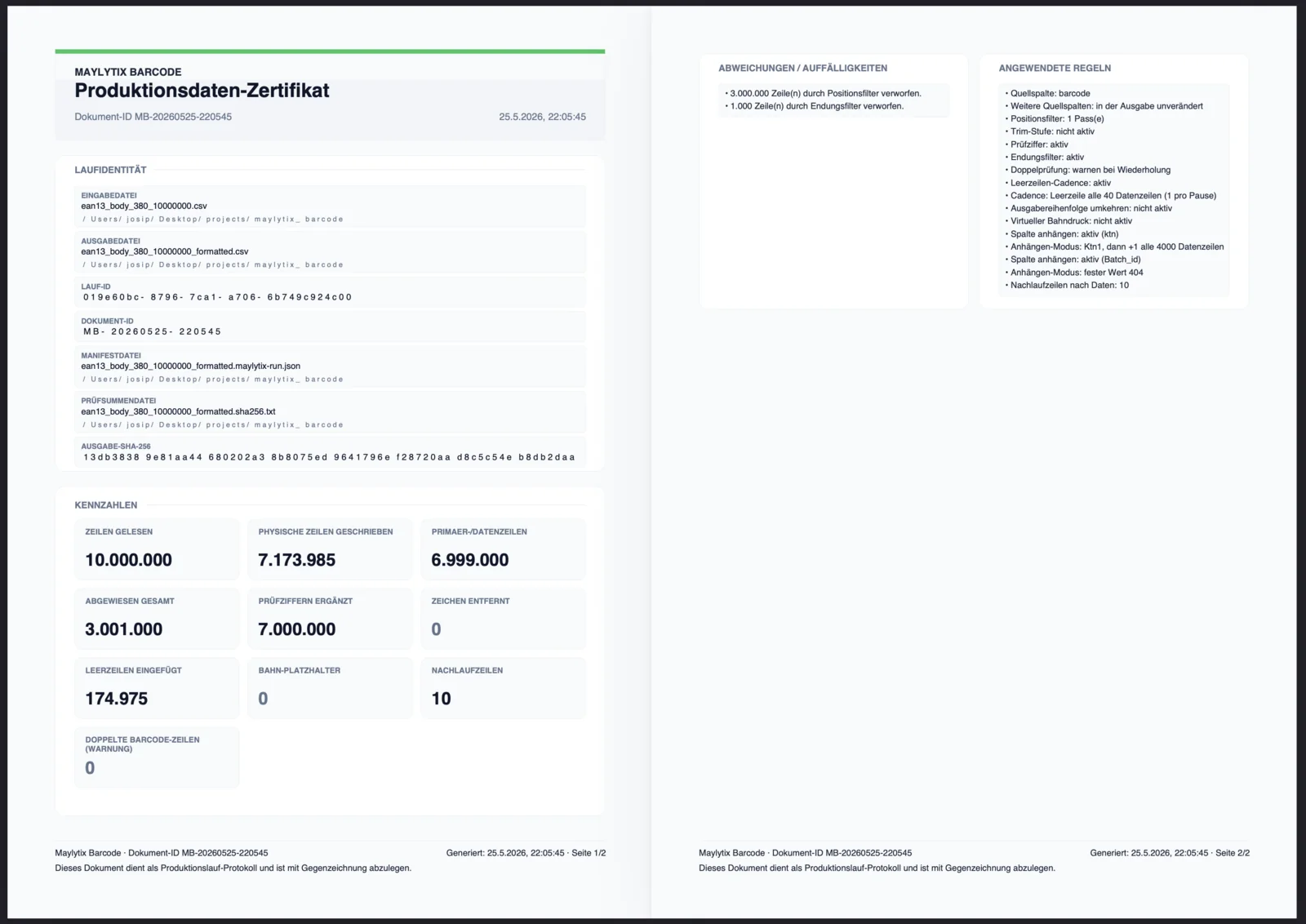
Production data certificate
PDF proof with file identity, checksums, counts, deviations, and active rules.
Workflow review
We can map how Barcode would generate, transform, validate, and document one recurring anonymized job format.