


Projects and presets
Default Barcode payload preset and pipeline set per customer project.
MayLytix Studio
Without spreadsheet range chaos: Studio is the planning desk for recurring serial and barcode work — projects, charges, Barcode presets, and a visible record of what was planned, run, and handed off.
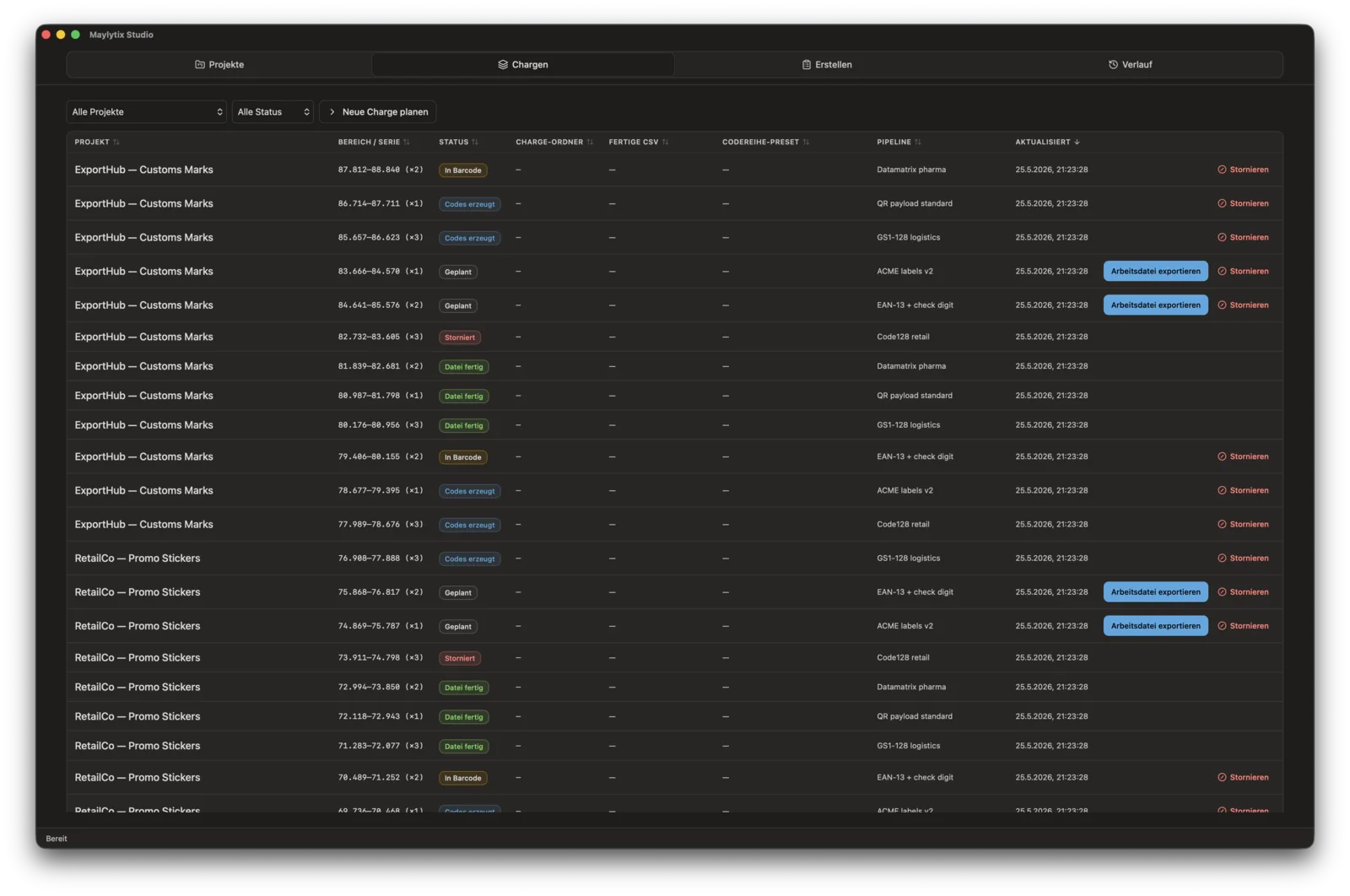
Charge overview
Projects, ranges, status, pipeline presets, and handoff actions in one operator desk.
Part of the MayLytix suite — Studio plans the charge; Barcode runs the CSV on your network. See products →
Desktop planning
Windows desktop app — charge data and handoff files stay on your network. No browser upload.
Suite handoff
Operators use Create to export a work file and open Barcode in one step. When the CSV run finishes, Studio picks up the finished file path, row counts, and proof metadata on the charge.
Set jobs folder, ERP output root, and Barcode path in Settings.
Bind payload preset and pipeline set per project — reload them on every charge.
Plan a charge with numeric range or custom serial; continue the next start without guessing.
Send to Barcode from Create — export work file and open the desktop app.
Finished CSV and status update on the charge when Barcode completes the run.
What Studio controls
Studio keeps the planning layer visible before and after Barcode writes the CSV. The goal is fewer range questions, fewer handoff gaps, and a cleaner operational record.
Default Barcode payload preset and pipeline set per customer project.
Numeric ranges or custom serial batches with overlap checks and ERP folder per charge.
Carry the next range or serial start forward from the last completed charge.
See which charges are ready to export, exported, or waiting on Barcode.
Recent charge events for operator review — not a compliance audit trail.
Daily database snapshots plus manual backup and restore.
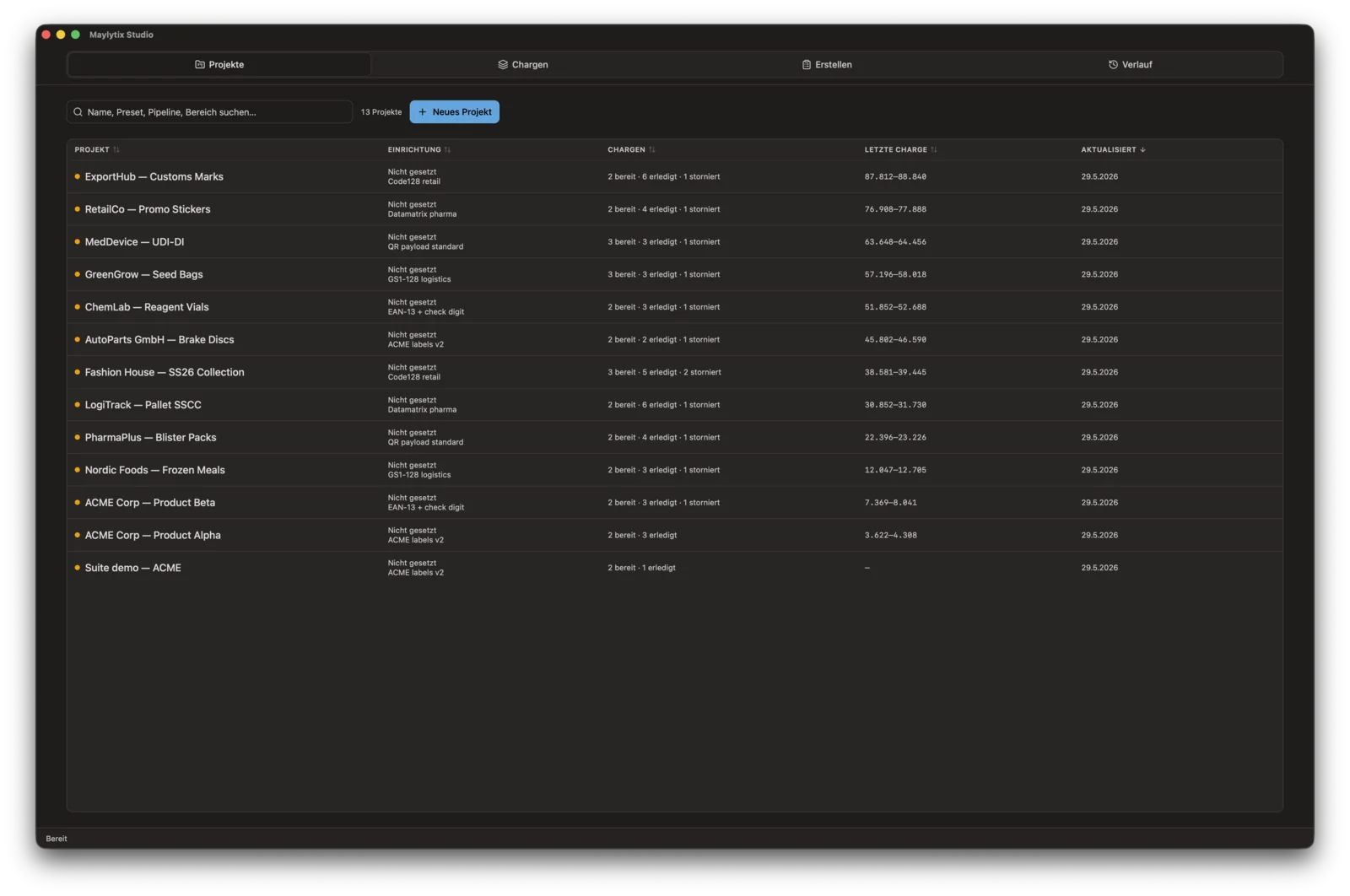
Projects and presets
Bind payload and pipeline presets per customer project — reload them on every charge.
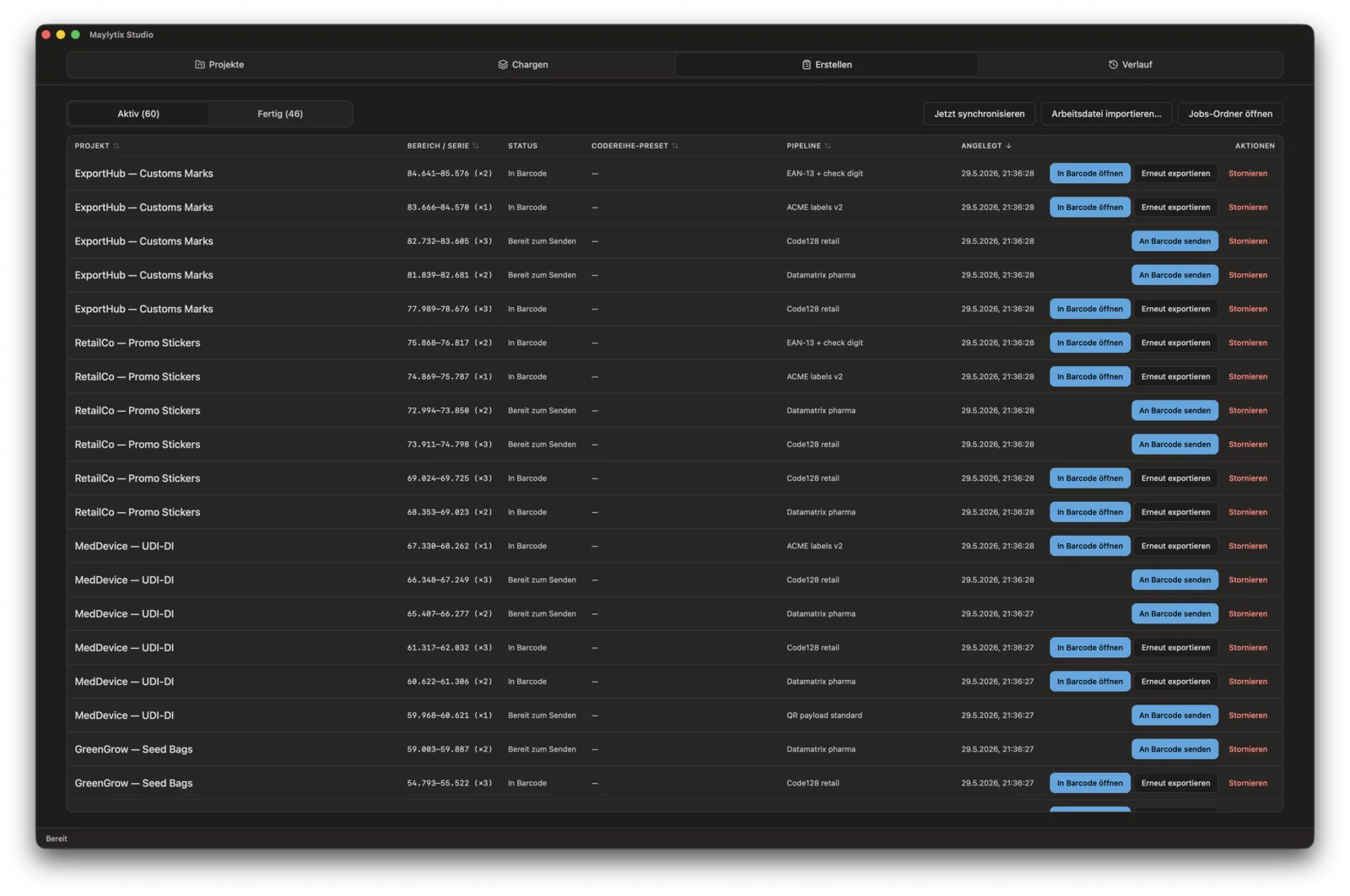
Create and handoff
Export the work file and open Barcode in one step — finished CSV and proof sync back to the charge.
Why Studio
The value is not another dashboard. It is the planning desk before Barcode runs: explicit ranges, Send to Barcode, and finished CSV plus proof syncing back to the charge record.
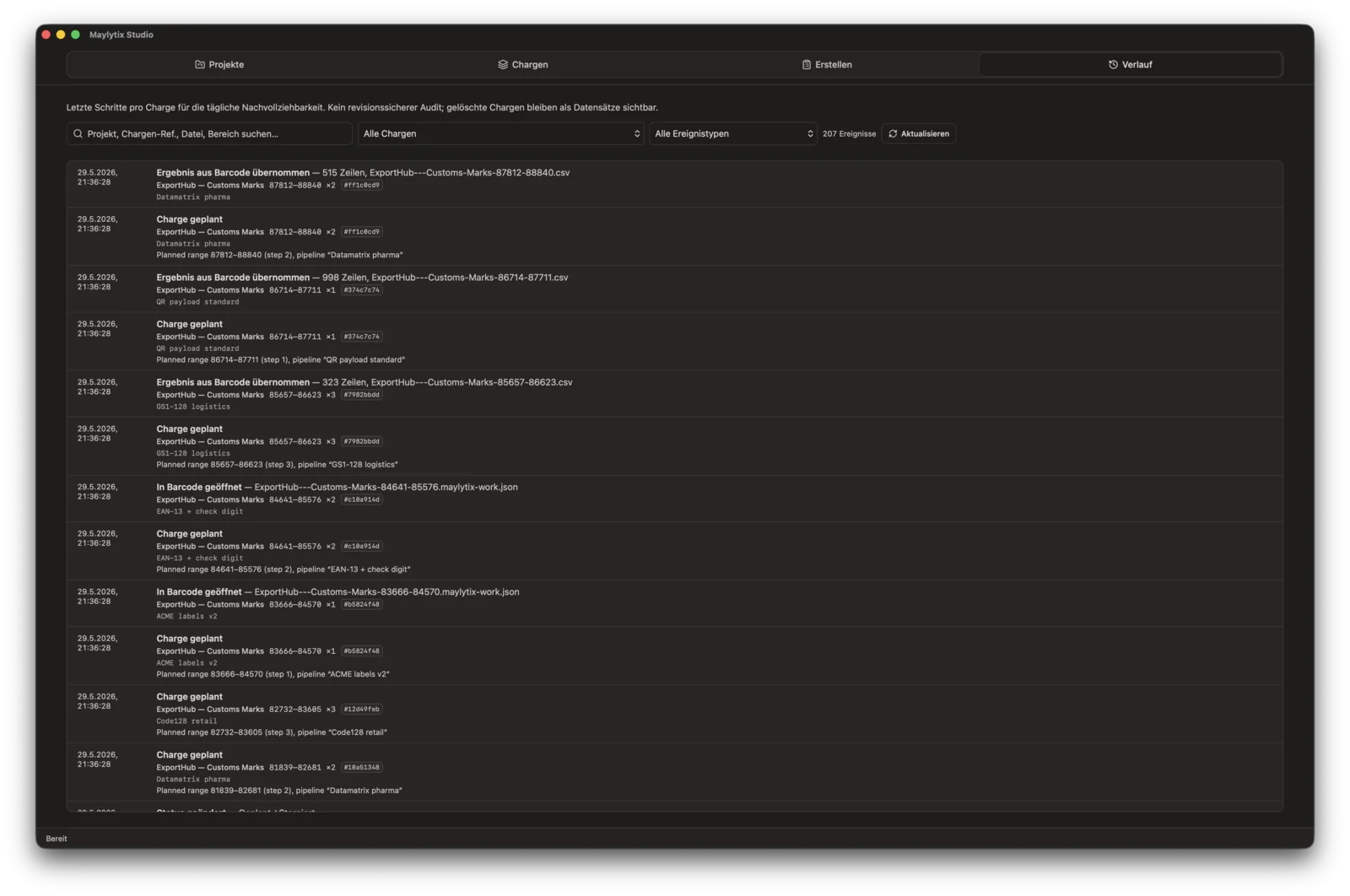
Activity log
Latest charge events across projects — search, filter by event type, and refresh. Traces planning, export, Barcode handoff, and result import; operational review, not a compliance audit.
Workflow review
We can map how Studio would control projects, charges, ranges, handoff, and output imports for one anonymized job format.